



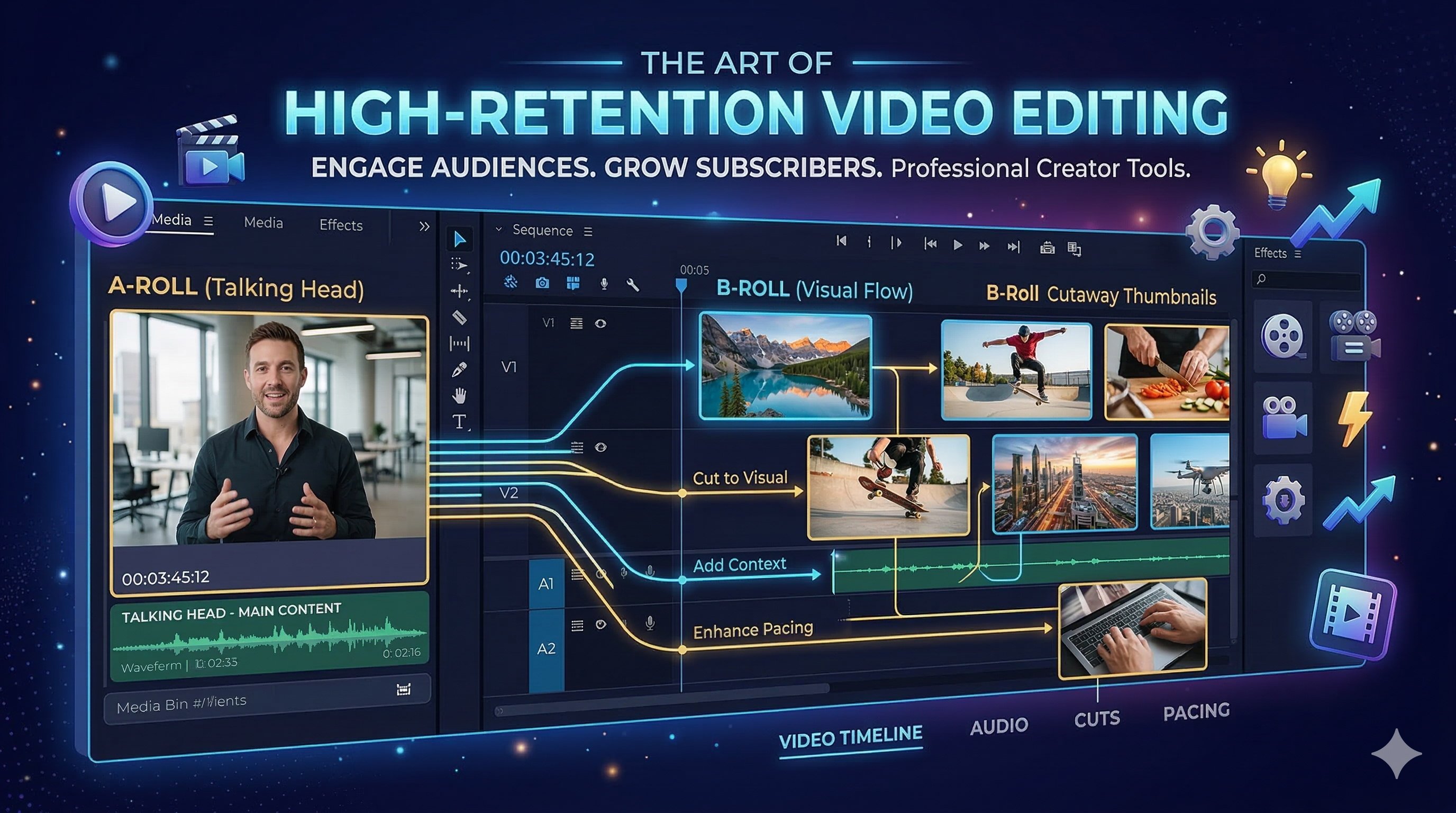
Core InsightsB-roll is supplementary footage used to illustrate narration, providing context and visual variety that resets viewer attention. By contrasting primary A-roll (talking head) with contextual, emotional, or symbolic cutaways, creators significantly increase retention. Modern AI tools now automate B-roll selection via transcript analysis, making cinematic storytelling accessible for all short-form creators.
Transforming static video into dynamic storytelling with the power of B-roll.
Are your short-form videos falling flat? In the competitive world of social media—especially on platforms like Instagram Reels and TikTok—a simple talking head video often isn't enough to hold attention.
The secret to transforming static narration into cinematic, high-retention content lies in one simple technique: B-Roll footage.
What Exactly Is B-Roll Footage?
Imagine watching a travel reel where the narrator says, “We drove across the hills at sunrise,” and instead of just watching them speak, you suddenly see a breathtaking, slow-motion shot of that sunrise.
That extra, supplementary visual—the footage that supports or illustrates what’s being said—is precisely what B-roll is.
A-roll: The main footage (e.g., your talking head or primary interview subject). B-roll: Supporting visuals, cutaways, and atmospheric shots that make the story come alive.
Where Did the Term B-Roll Originate?
The term B-roll is a fascinating remnant from the early days of physical film editing. When editors physically cut and spliced film strips, they needed organizational labels.
The main narrative footage was labeled “A-roll.” Any supplementary shots—used to cover cuts, add context, or illustrate points—were labeled “B-roll.” Today, this footage is entirely digital, but the fundamental principle remains: providing context through engaging visuals.
Why B-Roll Is Essential for Short-Form Creators
For creators focused on short, dynamic formats like Reels, B-roll is non-negotiable. It addresses the fundamental challenge of modern content: maintaining attention.
- Keeps Attention High: Quick cuts and visual changes provided by B-roll reset viewer focus every few seconds, preventing mental fatigue.
- Shows, Don’t Tell: Visuals make abstract ideas tangible. Instead of just talking about "stress," you can show busy traffic or deadlines.
- Boosts Engagement & Retention: Viewer duration is a crucial ranking factor across all video platforms. B-roll keeps viewers hooked, significantly increasing retention rates.
- Improves Storytelling: Even the simplest talking head clip becomes cinematic and emotionally resonant with the right insert clips.
Common B-Roll Types to Instantly Upgrade Your Reels
Understanding the different categories of B-roll helps you plan your shots and enhance the narrative effectively:
- Contextual: Shots of your workspace, the tools you are using, or the environment surrounding your subject.
- Emotional: Close-ups showing facial reactions, specific gestures, or details that convey mood.
- Transition: Dynamic elements like quick zooms, pans, or objects moving across the screen used to smoothly transition between scenes or topics.
- Symbolic: Visual metaphors that communicate abstract concepts (e.g., waves for calm, a clock ticking for urgency, traffic for chaos).
How to Add B-Roll Smartly and Efficiently
Traditionally, B-roll required tedious shooting and hours of post-production sorting. Modern creators leverage technology to make this workflow instantaneous.
- Record Extra Shots: During your main shoot, always record cutaways, different angles, and relevant environmental clips.
- Use Libraries: Utilize your own B-roll library of generic footage or rely on high-quality stock clips.
- Automate with AI: The fastest way is to let AI B-roll generators do the heavy lifting. You upload your primary A-roll footage, and the AI finds matching, contextual visuals based on your script.
For instance, ButterCut’s auto B-roll generator uses advanced scene detection based on your audio transcript and timing to add contextual visuals that feel handcrafted.
Example: The Power of Emotional Storytelling
Consider the difference when conveying an emotional milestone:
Narrator says: “I finally quit my 9-to-5.” With B-roll, you could show: • A slow-motion shot of you deliberately closing your laptop. • Sunrise lighting up your workspace, symbolizing a new dawn. • A cutaway to you walking confidently outdoors, leaving the office environment behind. This is emotional storytelling—not just narration.
The AI Workflow for Perfect B-Roll Editing
B-roll selection used to be one of the most time-consuming editing tasks. Now, AI scene detection and text-to-video generation allow you to create premium-feeling reels in minutes:
- Upload your talking head clip (A-roll).
- Auto-transcribe the audio using an AI subtitle editor.
- Generate auto B-roll suggestions via the AI platform.
- Review and tweak the suggested visuals manually for final polish.
- Export, add cinematic music, and post. Done.
🎬 You just created professional-grade storytelling that feels 10 times more premium—no camera upgrade needed.
Frequently Asked Questions (FAQs) About B-Roll
1. What is B-roll used for?
B-roll is used to visually support your main footage (A-roll), provide context, hide cuts, and make your overall story more dynamic and engaging.
2. Do I need to shoot B-roll myself?
Not necessarily. While unique, custom B-roll is best, AI tools can now generate or match high-quality stock visuals automatically, saving significant production time.
3. How does B-roll help in SEO or engagement?
By increasing viewer retention and replay rates, B-roll improves video ranking across platforms like Instagram, TikTok, and YouTube, boosting overall visibility and engagement metrics.
4. What’s the best AI tool for B-roll editing?
ButterCut AI is highly effective as it combines AI scene detection, smart transitions, and automatic B-roll generation within one seamless timeline.
✨ Ready to upgrade your content? Try ButterCut AI Today!
Create cinematic reels with automatic B-roll generation — so your stories look as powerful as they sound.